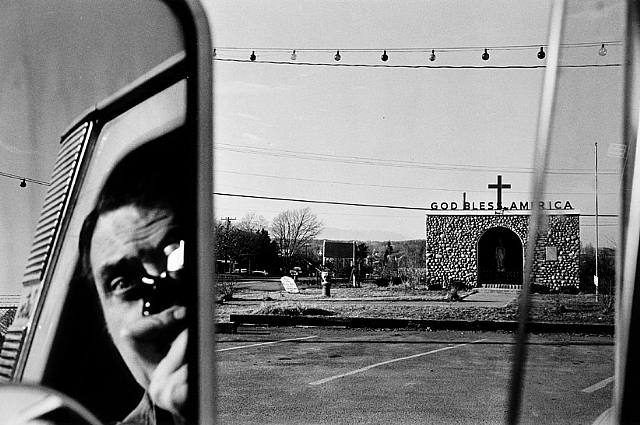
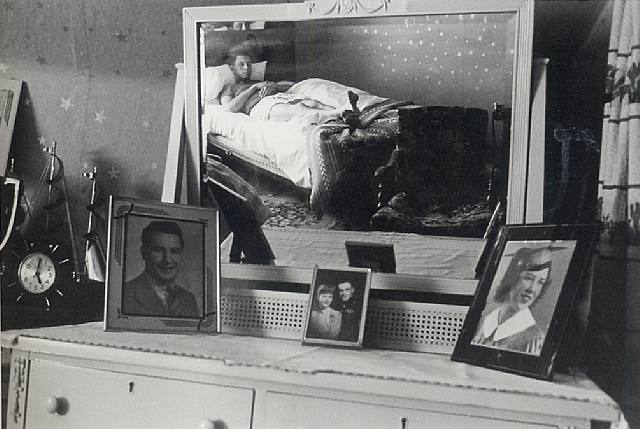
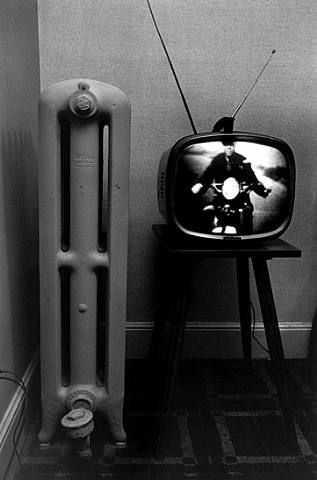
Our next project is called "Frame within a Frame." Every photograph has an exterior frame (the limits of the image), but these photographs by Lee Friedlander and the ones you will make for this assignment will also have an interior frame. We will use the interior frame to direct the viewer's attention. Last year, Digital Photography students made some excellent Frame within a Frame photographs that you can check out here:
For the first part of today's class, paste* three of these images below into a new post on your Photoblog. For each one, describe the interior frame and how it directs the viewer's attention. You may find more than one interior frame in a given photograph; when this is the case, record and analyze both.
*Upload each photograph by the URL method. This is good practice for those acquainted with this method, and a good time to learn for those uninitiated. Right-click (PC) or Control-click (Mac) the image you would like to select, a fly-out window will appear. From this window, select "View Image." The image you selected will pop up, alone, in your window. Return to your Photoblog, hit the add-image button and copy-paste the link from your image window into the URL space. Finally, press the big orange button - "Upload Image."
Frame within a Frame Gallery, Spring 2009
For the first part of today's class, paste* three of these images below into a new post on your Photoblog. For each one, describe the interior frame and how it directs the viewer's attention. You may find more than one interior frame in a given photograph; when this is the case, record and analyze both.
*Upload each photograph by the URL method. This is good practice for those acquainted with this method, and a good time to learn for those uninitiated. Right-click (PC) or Control-click (Mac) the image you would like to select, a fly-out window will appear. From this window, select "View Image." The image you selected will pop up, alone, in your window. Return to your Photoblog, hit the add-image button and copy-paste the link from your image window into the URL space. Finally, press the big orange button - "Upload Image."
1.
2.
3.
4.

5.

6.


No comments:
Post a Comment